How can we help?
Step-by-step guides and answers to the questions Gro creators ask most.
INFORMATION
Quick answers to the questions creators ask most.
Profile & Account Settings
PROFILE & ACCOUNT SETTINGSHow do I update my profile on the Gro platform?
Open the Profile tab on the navigation bar and click on Edit Profile.
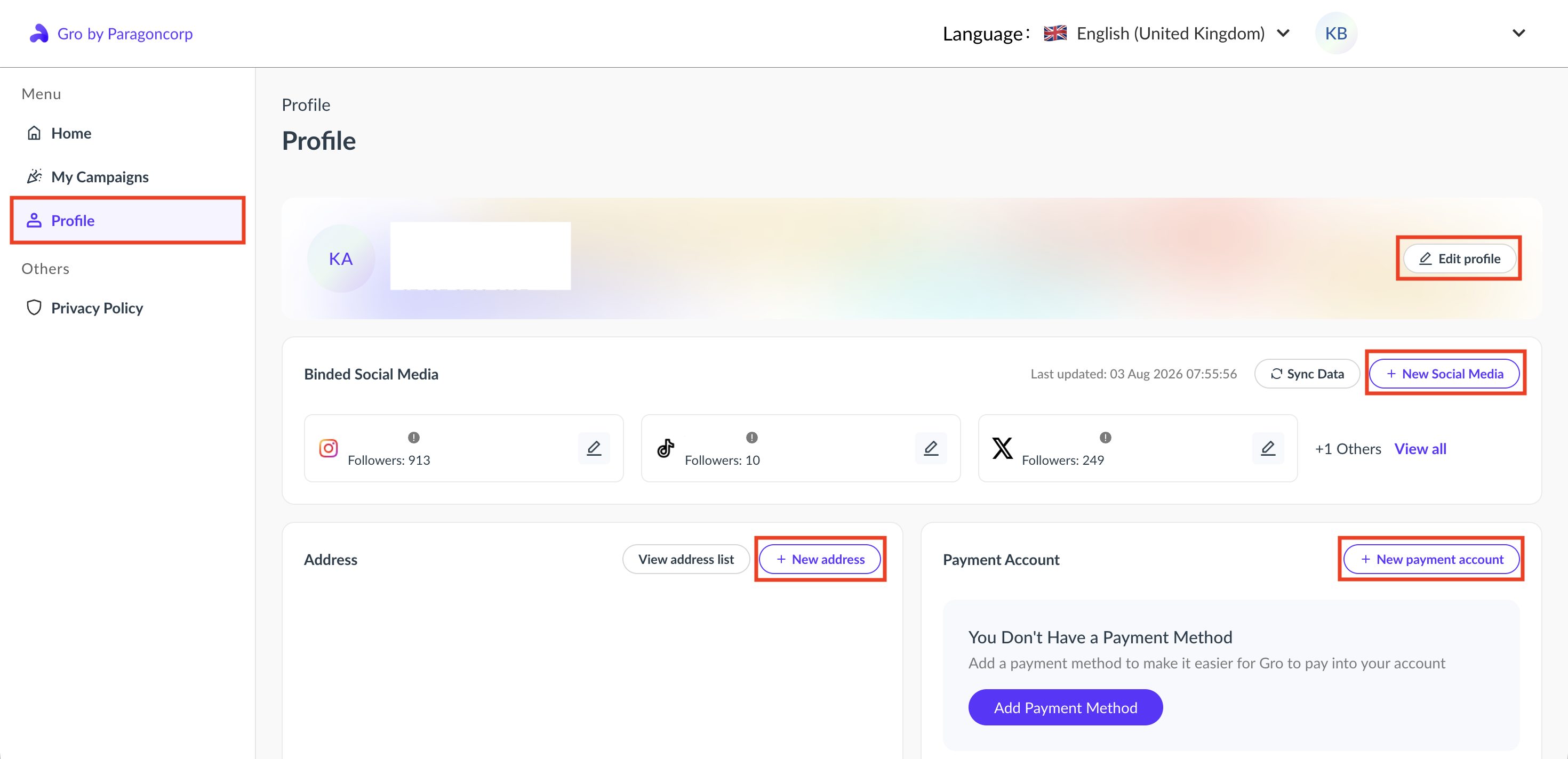
You can update or add your name, birth date, phone number, gender, social media accounts, address, and payment method. Edit the information you want to update, then save the changes.
Didn't find your answer?
Contact our Customer Care team. Include your Gro account email plus your username and social media platform for faster help.